How to Add a Timestamp to a Photo (Free, Offline)
A step-by-step guide to stamping your photos with EXIF capture dates, custom formats, fonts, and drag-drop positioning.
Read More →Instantly apply beautiful, customizable timestamps to your photos. Completely secure and private—all processing happens directly in your browser.
Free, private, and built for real photo workflows
Your photos are processed entirely in your browser and never uploaded to any server.
No sign-up, no watermarks, no limits. Every feature is free, forever.
Installable as a PWA and cached so you can keep timestamping even without a connection.
Everything you need to add timestamp to photo with precision and ease
Process multiple photos at once with our efficient batch timestamping system.
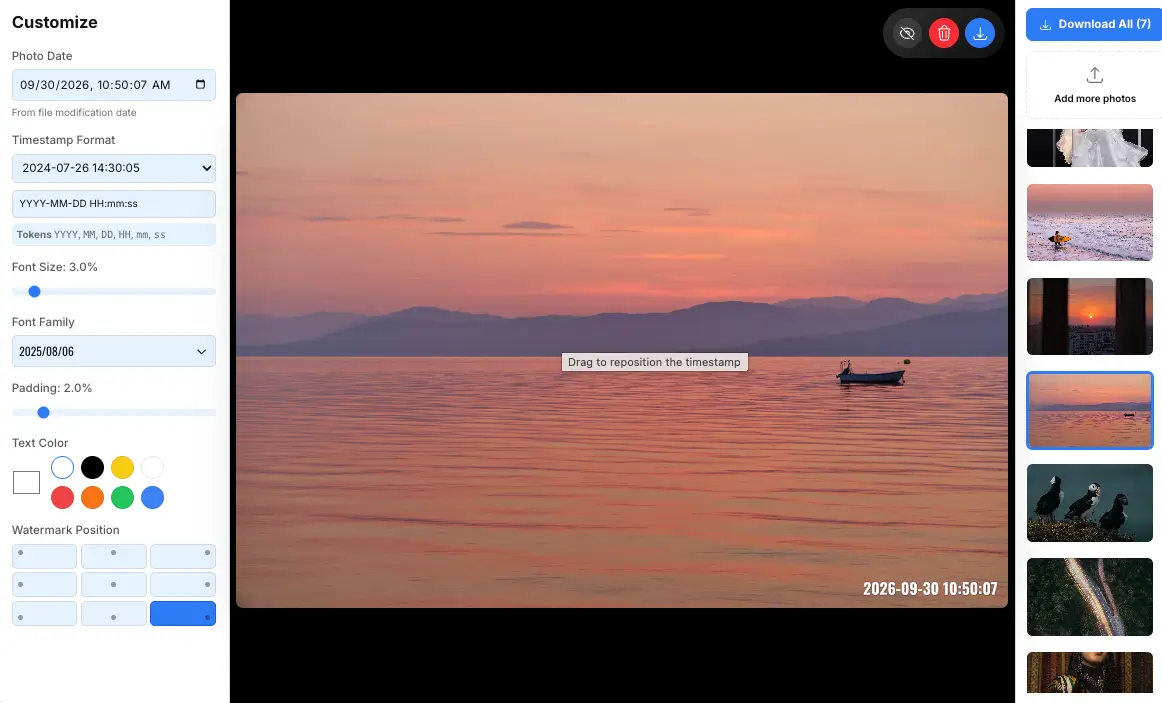
Precisely position your timestamp watermarks with intuitive drag-and-drop controls.
Works completely offline in your browser, ensuring your photos stay private and secure.
Get started in just 3 simple steps
Drag and drop your images or click to browse. Support for JPG, PNG, and more.
Choose format, position, font, and style your watermark exactly how you want it.
Download individual photos or batch download all with timestamps applied.
No install needed — timestamp photos right from your phone, tablet or computer browser.
Stamp HEIC and JPG photos straight from Safari on iOS. No camera roll extra apps required.
Works in Chrome and Firefox on Android phones and tablets for fast batch timestamping.
JPG, PNG, WEBP and HEIC from any camera. We auto-read the EXIF date from your files.
Compare with other add timestamp to photo tools
| Feature | Photo Timestamper | Competitor A | Competitor B |
|---|---|---|---|
| Free to Use | |||
| Batch Processing | |||
| Drag-Drop Positioning | |||
| Offline Operation | |||
| Privacy-Focused | |||
| No Upload Required | |||
| Custom Fonts | |||
| Watermark Removal |
No sign-up, no watermarks, no hidden fees. Every feature is free.
Free forever — no credit card required
Tips, tricks, and insights for photo enthusiasts
A step-by-step guide to stamping your photos with EXIF capture dates, custom formats, fonts, and drag-drop positioning.
Read More →How browser-based processing keeps your photos on your device — and why that matters for your privacy.
Read More →Stamp an entire photo series with consistent formatting and download every result as a ZIP.
Read More →